Kristina Schulz

Updated 5 months ago

Manage your iOS device with SynciOS

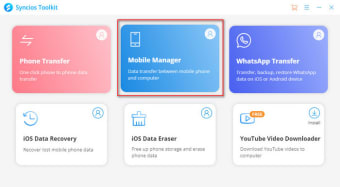
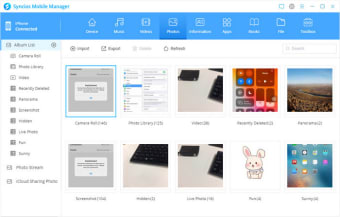
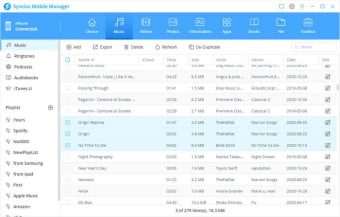
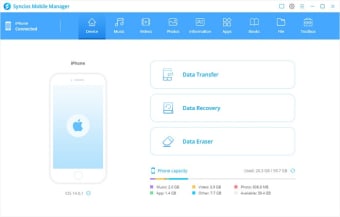
SynciOS is a free iOS management application that helps you back up data from your iOS device and transfer it to other devices, including devices using the Android operating system. You can move photos, videos, music and other files to and from your computer using a simple interface that recalls earlier versions of the iTunes app. Moreover, it is also Windows 11 compatible.

Top Recommended Alternative

Take control of your device

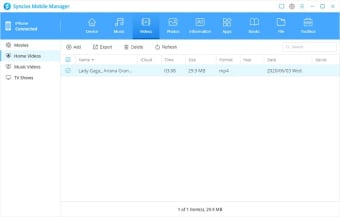
If you've ever used early versions of iTunes, you'll find SynciOS very familiar. The interface displays two panes: in the left pane is a tool menu together with a list of your device's folders and files. In the right pane is a list of everything in the folder you're currently viewing. Syncing content between the two devices is simple. It's even simple to transfer media that isn't in a format your iOS device will recognise: the app automatically converts files into the proper format. From this menu, you can also create backups or restore your device's files and apps from a backup. You can even read your text messages on your computer if you want to search through a thread.

A handy tool for iOS users

If you want to be able to manage your iOS's device quickly and easily, SynciOS is a very useful tool. It doesn't do everything -- it's not a replacement for iTunes -- but it's easy to use and effective at what it does do.


Kristina Schulz

Kristina has professional experience in Europe, the United States, and Asia, specializing in communication and languages. She values adaptability in multicultural settings and brings this perspective to her writing. Her content reflects clarity, cross-cultural awareness, and practical expertise in connecting ideas through language.

  • Pros

    • Simple visual interface
    • Convenient transfer between Android
    • PC and iOS
  • Cons

    • Limited contact management
    • Requires iTunes to work
 0/5

App specs

Program available in other languages


Icon of program: Syncios

Syncios for PC

  • Free
  • 3.5
    468
  • 249.4K
  • V7.2.3

User reviews about Syncios

3.5

13 reviews

Add review

Main reviews for you

  • Anonymous user

    Very good helper on data transfer. Especially when I need one to frequently sync data between my iPhone 11 and Samsung Galaxy Note 20. Worth to own Syncios Data Transfer.

  • Anonymous user

    Yes yes i need you . best softwer mobile deta trancfer i love softwer yes b cos

  • Anonymous user

    Yes yes i need you . best softwer mobile deta trancfer i love softwer yes b cos

  • Anonymous user

    Yes yes i need you . best softwer mobile deta trancfer i love softwer yes b cos

  • Anonymous user

    Yes yes i need you . best softwer mobile deta trancfer i love softwer yes b cos

  • Anonymous user

    Bad product. Your product doesn't allow to manage applications installed on the iphone if the ios is under 10. Your product is very disappointing.

More

You may also like

Alternatives to Syncios

Explore Apps

Latest articles

Laws concerning the use of this software vary from country to country. We do not encourage or condone the use of this program if it is in violation of these laws.
Softonic

Is Syncios safe?

100/100

Score result: Clean

This file passed a comprehensive security scan using VirusTotal technology. It is safe to download.

  • Virus free
  • Spyware free
  • Malware free
  • Verified by Security Partners

    VirusTotal logo

Scan Info

Last scan
Friday, November 10, 2023
Scan provider
VirusTotal · Full report

File Integrity

File
setup_syncios.exe
SHA256
9837ce3dbcad278fc38bb6274c5c2d8f2b65305f87b39eb1a3631973f9c5be15
SHA1
0f6b2fc82ae26b0efe14eb0248be545cbf370f2b

Softonic security commitment

Syncios has been thoroughly scanned by our advanced security systems and verified by industry-leading partners. This file comes from the official developer and has passed all our security checks, showing no signs of viruses, malware, or spyware. For more information, visit our Security and Trust Center